

MakersOfCode

Cloud & DevOps

Cloud & DevOps, Software Development

Mastering Microservices

MakersOfCode Blog Mastering Microservices: Learn how to design, deploy, and scale microservices Home Learn how to design, deploy, and scale microservices for modern, high-performing software systems. Introduction In an era of digital transformation, building applications that are scalable, resilient, and easy to manage is more important than ever. That’s where microservices architecture comes in. Unlike monolithic systems, microservices break down an application into smaller, loosely coupled services—each with its own responsibility and lifecycle. But while microservices offer flexibility and scalability, mastering them requires discipline, strategic design, and the right tools. This guide dives into the fundamentals, benefits, challenges, and best practices for mastering microservices. What Are Microservices? Microservices are an architectural style that structures an application as a collection of small, independent services that communicate over APIs. Each service handles a specific function, such as user management, payment processing, or notifications. Key characteristics: Independently deployable Loosely coupled and highly cohesive Organized around business capabilities Owned by small, autonomous teams Monolith vs Microservices Monolithic Architecture Microservices Architecture Single codebase and deployment Multiple services deployed independently Tightly coupled components Loosely coupled, isolated services Harder to scale specific functions Easy to scale individual services Longer development cycles Faster, parallel development Benefits of Microservices Scalability: Scale individual services based on demand. Resilience: Failures in one service don’t bring down the whole system. Agility: Teams can build, test, and deploy features independently. Technology diversity: Each service can use the most suitable tech stack. Faster Time to Market: Small teams ship updates quickly with minimal risk. Challenges of Microservices Despite their advantages, microservices come with complexity: Distributed systems are harder to manage: More services mean more moving parts. Network latency: Inter-service communication may introduce delays. Data consistency: Managing transactions across services can be difficult. Monitoring and debugging: Requires advanced observability tools. DevOps maturity: Requires CI/CD, containerization, and orchestration tools. Key Components of a Microservices System Service Discovery: Tools like Consul or Eureka allow services to find each other. API Gateway: Aggregates service calls and manages cross-cutting concerns (e.g., authentication). Containerization: Docker simplifies deployment and environment consistency. Orchestration: Kubernetes automates scaling, load balancing, and failover. Observability: Logging (ELK), monitoring (Prometheus, Grafana), and tracing (Jaeger, OpenTelemetry). Best Practices for Mastering Microservices Design for failure: Services should degrade gracefully when dependencies fail. Implement CI/CD: Automate testing, integration, and deployment pipelines. Embrace DevOps: Break down barriers between development and operations. Decentralize data: Each service should own its data and avoid shared databases. Limit service size: Follow the “single responsibility principle”—one service, one function. Secure each service: Use mutual TLS, API keys, OAuth, and zero-trust principles. Use Cases Microservices are ideal for: Large-scale web apps (e.g., Netflix, Amazon) Enterprise platforms with multiple teams working on different domains APIs consumed by internal and external developers Applications requiring frequent updates and deployments When Not to Use Microservices For simple applications with a small team and limited scope When your DevOps pipeline isn’t mature enough for automation and monitoring If team structure or culture doesn’t support service ownership and autonomy Conclusion Microservices architecture offers a powerful path toward building scalable, flexible, and agile systems—but it also demands discipline, the right tooling, and cultural readiness. Whether you’re refactoring a monolith or starting a new system, mastering microservices can unlock new levels of development speed and system reliability. Break the monolith, embrace the modular—and build with confidence. Search Blog: Search Recent Posts: Make Some Room For A Rain Of Money The Future of AI in Software Development The next generation of advertising agencies Mastering Microservices Connecting Consumers With Your Business Categories: Software Development Cloud & DevOps Tags: Architecture Contact Us:


Cloud & DevOps

Demystifying Server less Architecture

MakersOfCode Blog Demystifying Server less Architecture Home Serverless computing isn’t magic—it’s just smart engineering. Let’s break down what it really means, how it works, and when to use it. Introduction “Serverless” sounds like a world without servers, but that’s not quite true. Servers still exist—they’re just abstracted away from the developer. With serverless architecture, developers can focus entirely on writing code without managing the underlying infrastructure. This blog explores what serverless really is, its pros and cons, key use cases, and how it’s reshaping modern software development. What Is Serverless Architecture? Serverless architecture is a cloud computing execution model where the cloud provider dynamically manages the allocation and provisioning of servers. Developers write functions or services, and the platform handles everything else—scaling, uptime, and infrastructure. Common serverless platforms include: AWS Lambda Google Cloud Functions Azure Functions Cloudflare Workers Key Characteristics No server management: You don’t provision or maintain servers. Automatic scaling: Functions scale up or down based on demand. Pay-per-execution: You only pay when your code is running. Event-driven: Functions are triggered by events (e.g., HTTP requests, database changes). Serverless vs Traditional Architecture Traditional Serverless Always-on servers Runs only when triggered Manual scaling Auto-scaling on demand Upfront provisioning No provisioning needed Pay for uptime Pay per invocation Common Use Cases APIs & Microservices: Lightweight backend functions triggered by HTTP requests. File Upload Processing: Automatically resize images or convert files when uploaded. Scheduled Jobs: Run cron-like tasks (e.g., daily backups or report generation). Chatbots and Automation: Respond to user input or events in real time. IoT Backend: Handle device input and telemetry with ease. Benefits of Serverless Faster Development: Focus on logic, not infrastructure. Reduced Costs: Only pay when your code runs—ideal for bursty or low-traffic apps. Highly Scalable: Built-in elasticity handles thousands of concurrent executions. Improved Productivity: Teams ship features faster without worrying about infrastructure scaling or downtime. Limitations & Considerations Serverless isn’t a silver bullet. Watch out for: Cold Starts: Initial latency when functions spin up after being idle. Debugging Complexity: Distributed systems make tracing issues harder. Vendor Lock-In: Migrating between providers can be difficult. Execution Limits: Most platforms impose memory, time, and payload size limits. Best Practices for Going Serverless Design for statelessness: Serverless functions don’t store session state—use external storage or databases. Use monitoring tools: Tools like AWS CloudWatch, Datadog, or Sentry help with observability. Keep functions small: Single-responsibility functions are easier to manage and scale. Secure endpoints: Use authentication and authorization (e.g., API Gateway + OAuth). Serverless in the Real World Companies of all sizes—from startups to tech giants—are embracing serverless: Netflix uses AWS Lambda to automate security processes. Airbnb builds lightweight services with serverless for rapid deployment. Startups use it to reduce infrastructure costs and launch MVPs faster. Conclusion Serverless architecture simplifies development, reduces operational overhead, and helps businesses scale effortlessly. While it’s not suitable for every workload, it’s a powerful tool in the modern developer’s toolbox. The magic of serverless isn’t that servers disappear—it’s that developers finally can. Search Blog: Search Recent Posts: Make Some Room For A Rain Of Money The Future of AI in Software Development The next generation of advertising agencies Mastering Microservices Connecting Consumers With Your Business Categories: Cloud & DevOps Tags: Architecture Contact Us:
Cloud & DevOps

Navigating the Cybersecurity Landscape

MakersOfCode Blog Navigating the Cybersecurity Landscape Home As digital transformation accelerates, so do cyber threats. Learn how to navigate today’s complex cybersecurity terrain to protect your business, data, and users. Introduction From startups to Fortune 500 companies, no organization is immune to cyberattacks. With threats evolving daily—from ransomware and phishing to zero-day exploits—navigating the cybersecurity landscape has become a critical business skill, not just an IT concern. In this blog, we’ll explore today’s cybersecurity challenges, key concepts, best practices, and how businesses can build resilient systems to thrive in an increasingly hostile digital world. 1. The New Threat Landscape Modern cyber threats are more sophisticated, targeted, and financially motivated than ever before. Here are some of the most common attack types: Phishing: Deceptive emails that trick users into revealing sensitive data or installing malware. Ransomware: Encrypts files and demands payment for decryption keys. Supply Chain Attacks: Compromise vendors or third-party tools to target multiple downstream companies. Zero-Day Exploits: Attacks targeting unpatched vulnerabilities that are not yet publicly known. 2. Key Concepts in Cybersecurity To understand how to defend against threats, it’s important to know the pillars of cybersecurity: Confidentiality: Ensuring sensitive information is accessible only to authorized users. Integrity: Ensuring data is accurate and unaltered. Availability: Ensuring systems and data are available when needed. 3. Building a Cybersecurity Strategy A strong cybersecurity strategy isn’t just about firewalls and antivirus—it’s about layered defense and proactive thinking: Defense in Depth Use multiple layers of security controls across endpoints, networks, and data layers. If one layer fails, others stand in the way of compromise. Risk Assessment Identify what data is most valuable and where you’re most vulnerable. Prioritize defenses accordingly. Least Privilege Access Users and systems should only have the access they absolutely need—nothing more. This minimizes damage if credentials are stolen. Employee Training Most breaches begin with human error. Regular security awareness training is one of the best lines of defense. 4. Tools of the Trade There are countless tools, but here are some foundational categories every organization should consider: Endpoint Protection: Tools like CrowdStrike, Bitdefender, or Microsoft Defender. Network Security: Firewalls, VPNs, and intrusion detection/prevention systems (IDS/IPS). SIEM (Security Information and Event Management): Aggregate and analyze logs across systems. (e.g., Splunk, Elastic, Datadog) IAM (Identity and Access Management): Enforce multi-factor authentication (MFA) and manage user permissions. 5. Cloud Security Considerations With more workloads moving to the cloud, security must adapt. Key principles include: Shared Responsibility Model: In cloud environments, the provider handles some aspects of security, but users are responsible for things like access control and data protection. Cloud Misconfigurations: One of the leading causes of breaches. Use automated tools to detect and fix misconfigured permissions or buckets. DevSecOps: Integrate security into your CI/CD pipelines to catch issues early in development. 6. Incident Response: Be Prepared Even the best defenses can be breached. Having a response plan is crucial: Preparation: Define roles, responsibilities, and protocols ahead of time. Detection and Analysis: Monitor for anomalies and act quickly. Containment and Eradication: Isolate affected systems, remove malware, patch vulnerabilities. Recovery: Restore operations from backups, notify stakeholders, and learn from the incident. 7. The Future of Cybersecurity As threats evolve, so must defenses. Trends shaping the future include: AI-Powered Threat Detection: Machine learning helps spot anomalies in real-time. Zero Trust Architecture: Trust no one—always verify, even inside the perimeter. Quantum-Resistant Cryptography: Preparing for post-quantum encryption standards. Cyber Insurance: Growing demand as a layer of risk management. Conclusion Navigating the cybersecurity landscape is not a one-time event—it’s a continuous journey of adaptation, awareness, and resilience. As digital threats become more advanced, organizations must proactively invest in cybersecurity as a core business priority—not just an IT expense. Security isn’t just about protecting systems—it’s about protecting trust. Search Blog: Search Recent Posts: Make Some Room For A Rain Of Money The Future of AI in Software Development The next generation of advertising agencies Mastering Microservices Connecting Consumers With Your Business Categories: Cloud & DevOps Tags: Security Contact Us:

Cloud & DevOps

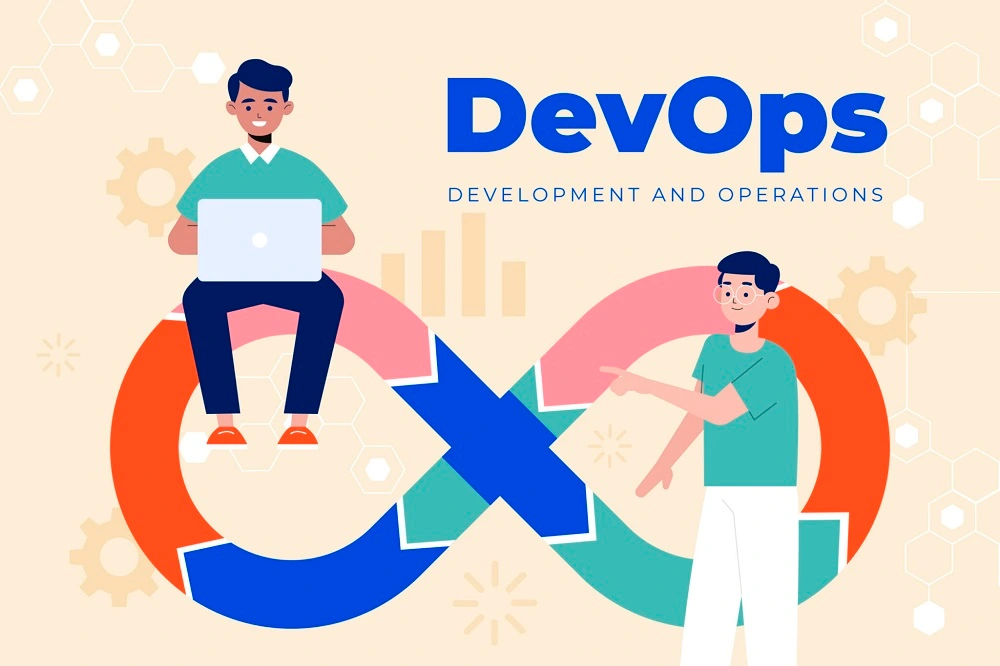
Embracing DevOps for Faster Time-to-Market

MakersOfCode Blog Embracing DevOps for Faster Time-to-Market Home Discover how adopting DevOps can accelerate software delivery, improve quality, and align teams toward a shared business goal: shipping faster without breaking things. Introduction In today’s hyper-competitive digital landscape, speed is everything. Companies that release features faster, respond to user feedback quicker, and adapt to change efficiently often dominate their markets. This is where DevOps comes in. DevOps is more than just a buzzword. It’s a cultural and technical movement that bridges the gap between software development and IT operations—empowering teams to build, test, and release software with unprecedented speed and stability. What Is DevOps? DevOps is a set of practices that combines software development (Dev) and IT operations (Ops). It aims to shorten the development lifecycle while delivering features, fixes, and updates frequently and reliably. Key principles of DevOps include: Automation of builds, tests, and deployments Continuous Integration and Continuous Delivery (CI/CD) Monitoring and feedback loops Collaboration between developers, testers, and operations teams Why DevOps Matters for Time-to-Market Here’s how embracing DevOps accelerates delivery: 1. Continuous Integration and Delivery CI/CD pipelines automate the process of integrating code changes and deploying them to production. This removes bottlenecks caused by manual testing and release processes. Result: Developers can deploy code multiple times a day instead of once every few weeks. 2. Infrastructure as Code (IaC) DevOps teams treat infrastructure (servers, databases, networks) the same way they treat code—versioned, automated, and reproducible. Result: Environments can be spun up or down in minutes, enabling faster testing and deployment. 3. Improved Collaboration DevOps fosters a shared responsibility model, reducing the “throw-it-over-the-wall” mentality between developers and operations. Result: Faster feedback loops, fewer bugs in production, and quicker resolution of issues. 4. Automated Testing and Quality Assurance Automated unit, integration, and UI tests ensure code is production-ready before it’s deployed. Result: Reduces regression issues and time spent in manual QA cycles. 5. Real-Time Monitoring and Feedback DevOps encourages proactive monitoring of systems, enabling teams to detect and fix problems before users notice. Result: Faster issue resolution and higher confidence in frequent deployments. DevOps in Action: Real-World Impact Amazon deploys code every 11.7 seconds. Netflix uses DevOps automation to maintain high availability during peak hours worldwide. Startups use DevOps to iterate on MVPs quickly, respond to feedback, and stay lean. Challenges to Watch For Adopting DevOps isn’t without its hurdles: Cultural resistance from siloed teams Tool overload—choosing the wrong tools can cause confusion Security integration (hence the rise of DevSecOps) Lack of training or experience with automation or CI/CD tools Success requires executive buy-in, team-wide education, and incremental process improvement—not just tool adoption. Getting Started with DevOps If you’re new to DevOps, here’s how to begin: Start small: Implement CI/CD for one project or service. Choose the right tools: GitHub Actions, Jenkins, Docker, Kubernetes, Terraform, etc. Foster a DevOps mindset: Encourage shared ownership of code, deployment, and uptime. Measure success: Track lead time, deployment frequency, and mean time to recovery (MTTR). Conclusion DevOps isn’t a silver bullet—but when done right, it can dramatically reduce your time-to-market while increasing product quality and team morale. Whether you’re a startup looking to move fast or an enterprise seeking to stay competitive, embracing DevOps practices can give you the edge you need. Speed doesn’t have to sacrifice stability. With DevOps, you can have both. Search Blog: Search Recent Posts: Make Some Room For A Rain Of Money The Future of AI in Software Development The next generation of advertising agencies Mastering Microservices Connecting Consumers With Your Business Categories: Cloud & DevOps Tags: Performance Growth Contact Us:

Scroll to Top